Quickstart for MotherDuck on Ascend
Scale up using MotherDuck with Ascend.
Prerequisites
Before you begin, ensure you have the following:
Grant your Ascend Environment access
You'll need to place a MotherDuck API key with sufficient permissions in your Ascend Environment's Vault.
We use the Ascend-managed Environment Vault for this quickstart for simplicity, though you can bring your own vault from any major cloud provider.
Create a MotherDuck API key
In the MotherDuck UI, navigate to Settings from the top left dropdown.
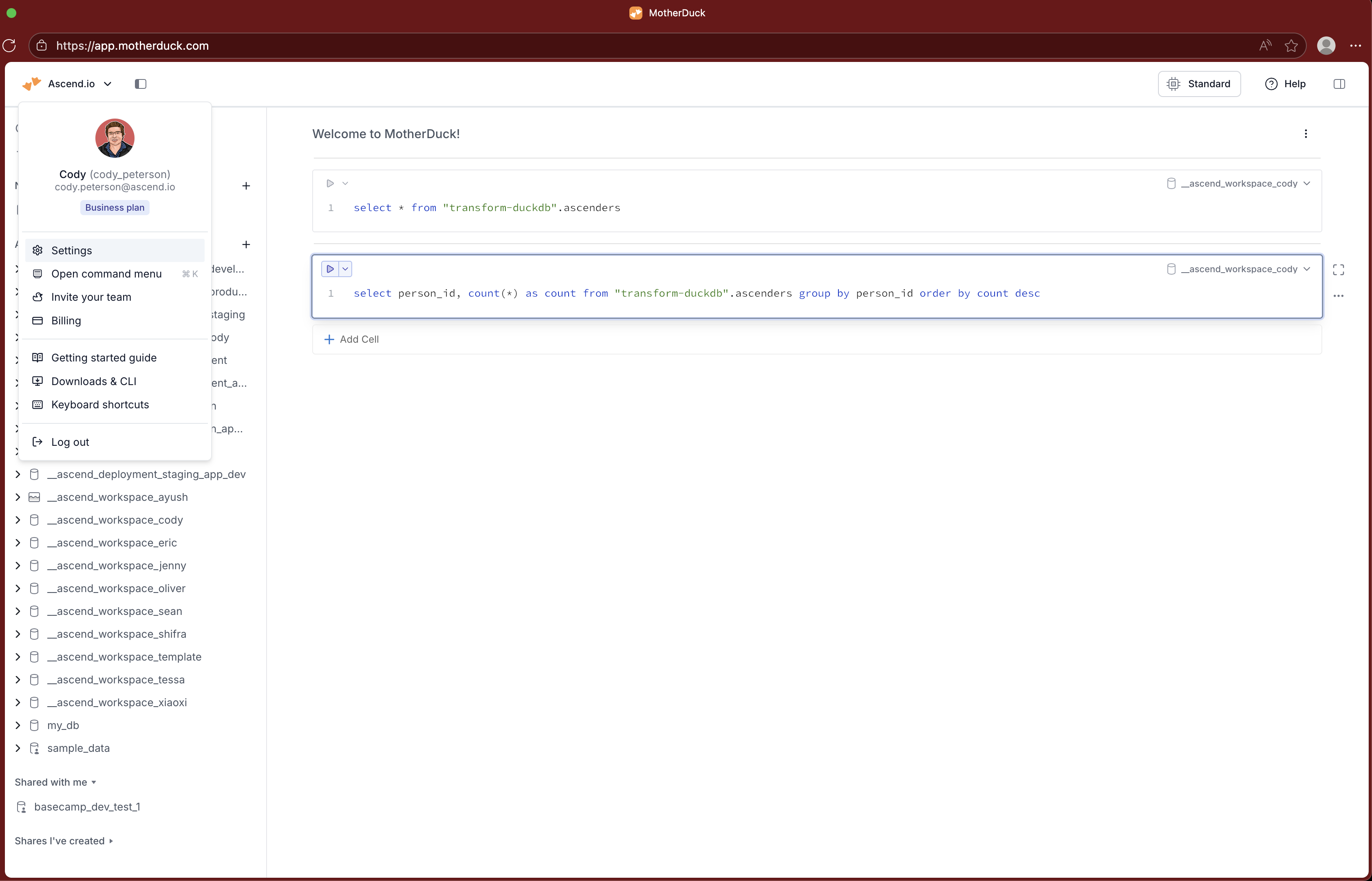
Navigate to Access Tokens.

Click Create Token.

Create a secret in your Ascend Environment Vault
In the Ascend UI, navigate to Settings > Secrets & Vaults > Environment Vaults > the Default Environment's Vault.
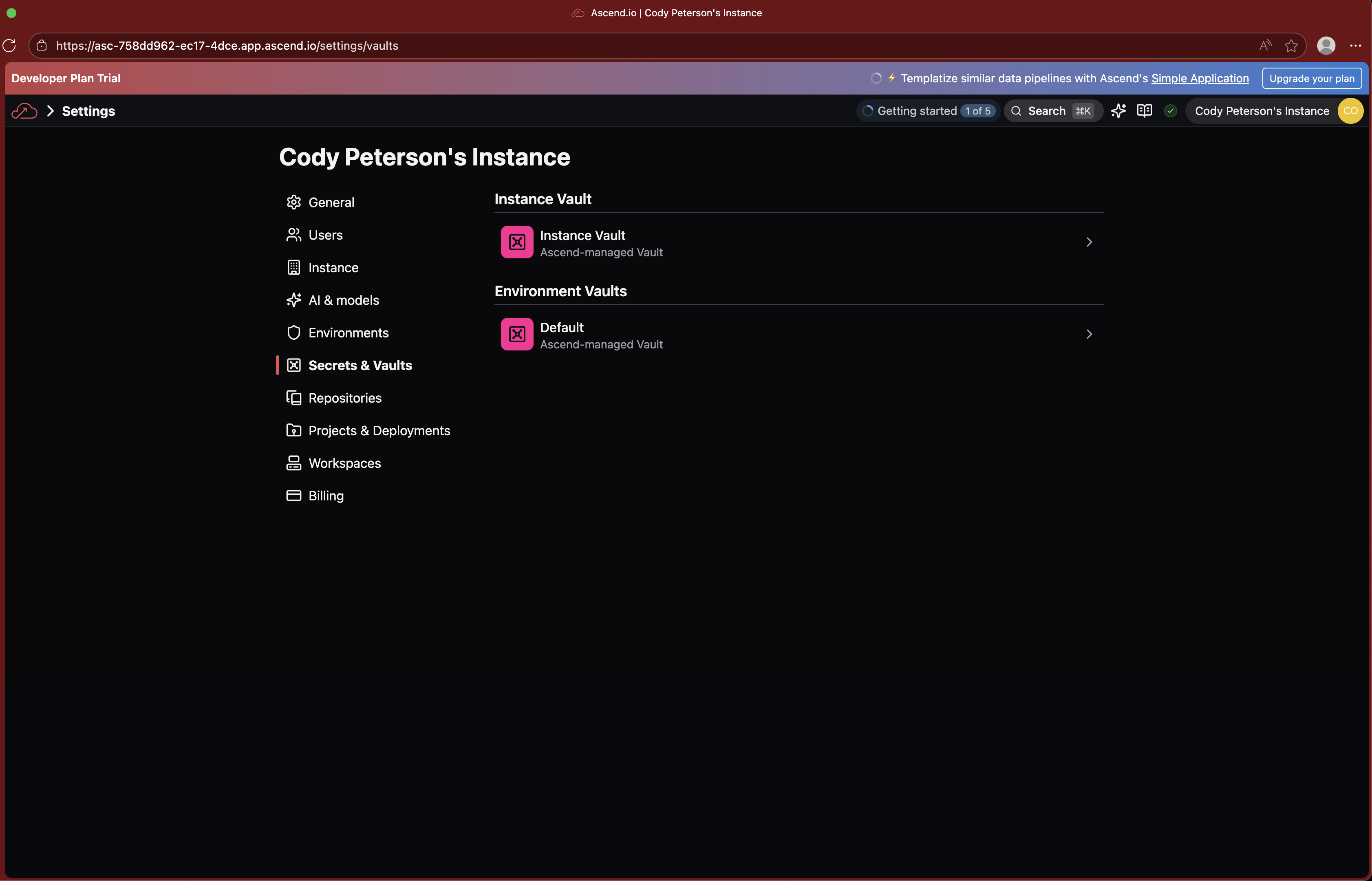
Click to Add Secret and name it MOTHERDUCK_API_KEY, pasting in the API key you created in MotherDuck.

Save and proceed!
Create a MotherDuck Data Plane Connection
Navigate to your Workspace. Click the + button next to Connections from the Super Graph. You should only need to fill out the API key field, then you can Test Read Connection.
If you don't see the Connections section in the Resources tab of the Toolbar, you are likely in a Flow Graph. Use the search bar and type "Super Graph" or click back to all resources from the Toolbar (Resources tab).
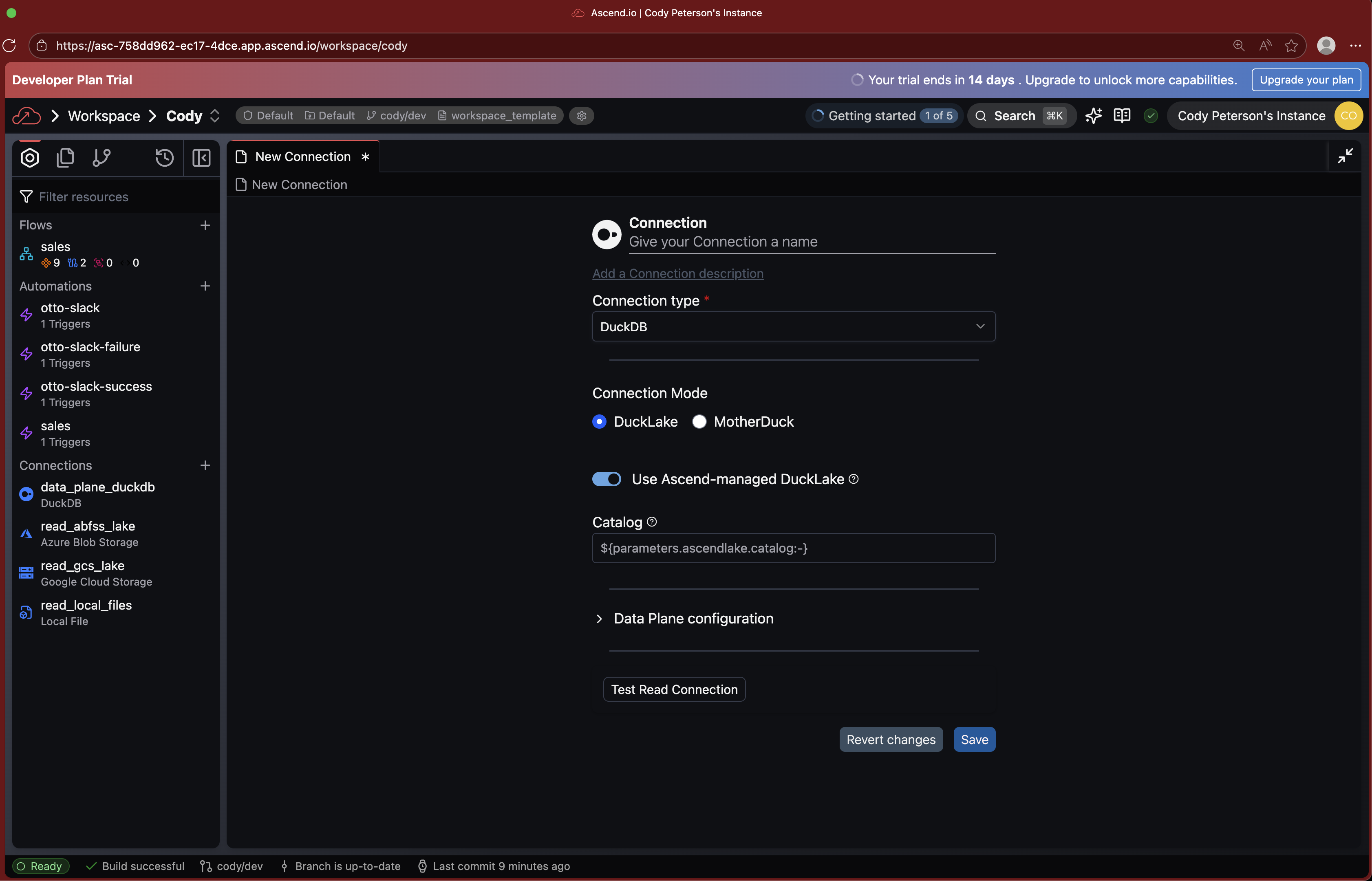
Alternatively, create the file connections/data_plane_motherduck.yaml in your Project's files:
connection:
  duckdb:
    motherduck:
      api_key: ${vaults.environment.MOTHERDUCK_API_KEY}
Use MotherDuck by default for all Flows
Ask Otto, or find and edit your ascend_project.yaml at the root of your Project's files. You can set the defaults section to use your new MotherDuck Data Plane Connection, assuming you named it data_plane_motherduck, like:
Any Flows that end in -duckdb will still use the default Ascend-managed DuckDB Data Plane Connection.
Next steps
Try running the demo sales Flow or use Otto to create your first data pipeline with MotherDuck on Ascend.