Hands-on lab: Agentic Data Engineering with MotherDuck


Scale up your data pipelines using MotherDuck with Ascend.
The plan
In this lab, we will:
- Sign up for Ascend
- Watch Otto, Ascend's agentic data engineering assistant, build your first data pipeline
- Sign up for MotherDuck
- Create a MotherDuck API key
- Add the API key to Ascend's Environment as a secret in its Vault
- Switch the Ascend-managed DuckDB Data Plane to MotherDuck
- Run your pipelines on MotherDuck and see the results
- Deploy to production!
See the MotherDuck docs for additional details about MotherDuck.
Join the Ascend Community Slack and MotherDuck Community Slack for community support.
In the Ascend Community, we've setup a dedicated channel for this lab if you have questions during or after.
Part 1: Sign up for Ascend
Go to https://app.ascend.io/signup and fill out the form to start your free Developer plan trial.
You must use a work email address to sign up for Ascend; common personal email domains like @gmail.com and @yahoo.com are disallowed.
Your free trial lasts for 14 days and includes full access to Ascend! If you'd like to request an extension or a business trial, email sales with your use case.

Check your email inbox and for a message from Ascend support (support@ascend.io).
Ask live or email support later for help if you do not receive the verification email within a few minutes or encounter any issues during onboarding.

Click to accept the invite. Create a password or sign in with Google SSO.

Once signed in, you'll either see the Otto onboarding screen or the home page (if you've completed or skipped the onboarding previously).
Part 2: Build your first data pipeline
- Onboarding screen
- From your Workspace
From the screen below, click the Not sure where to start? button!
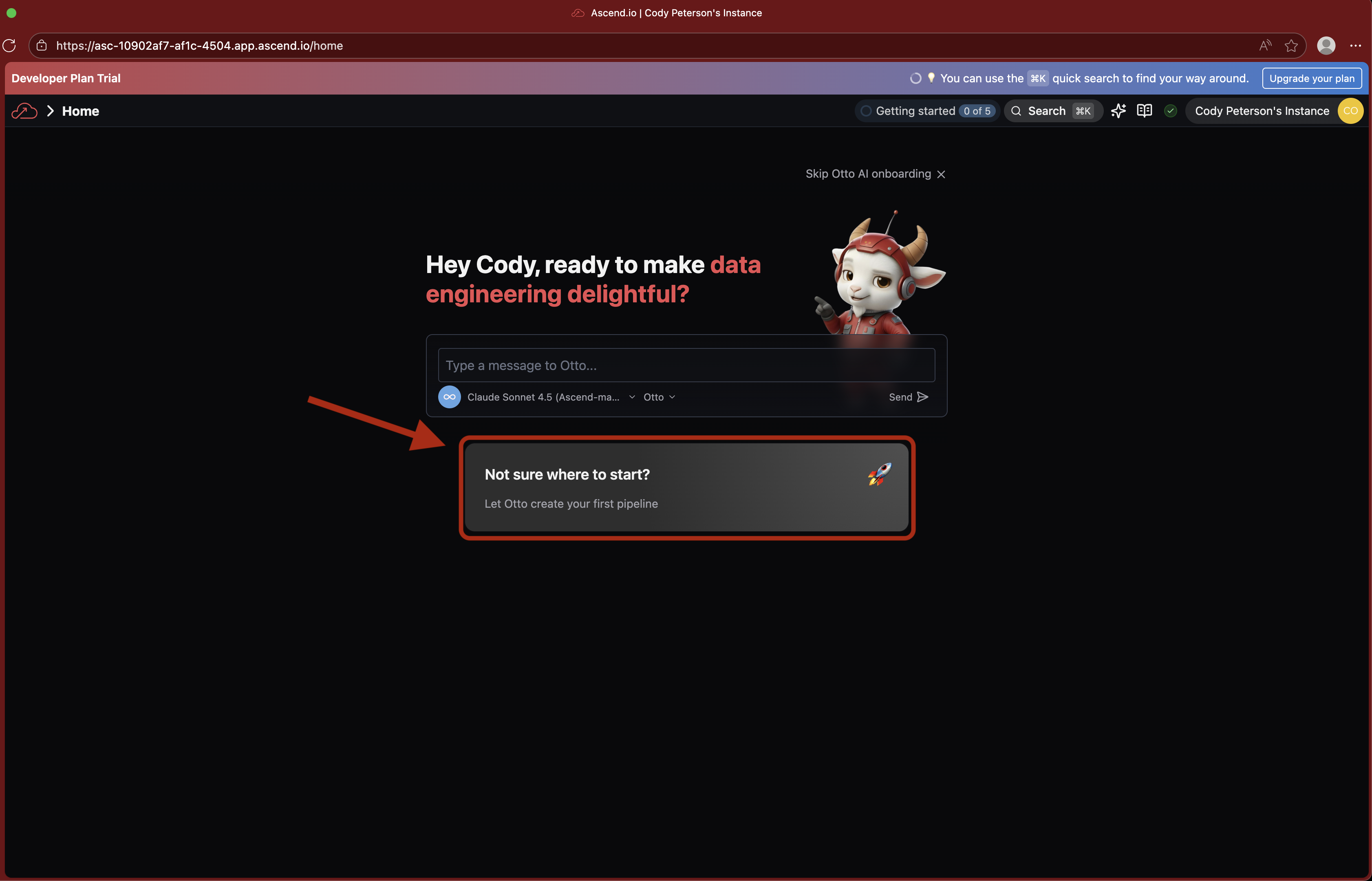
This sends a prompt to Otto giving him initial direction to build your first data pipeline in Ascend. Sit back and watch Otto get to work!
Otto can get things wrong, but agentic development loops tend to iterate toward success!
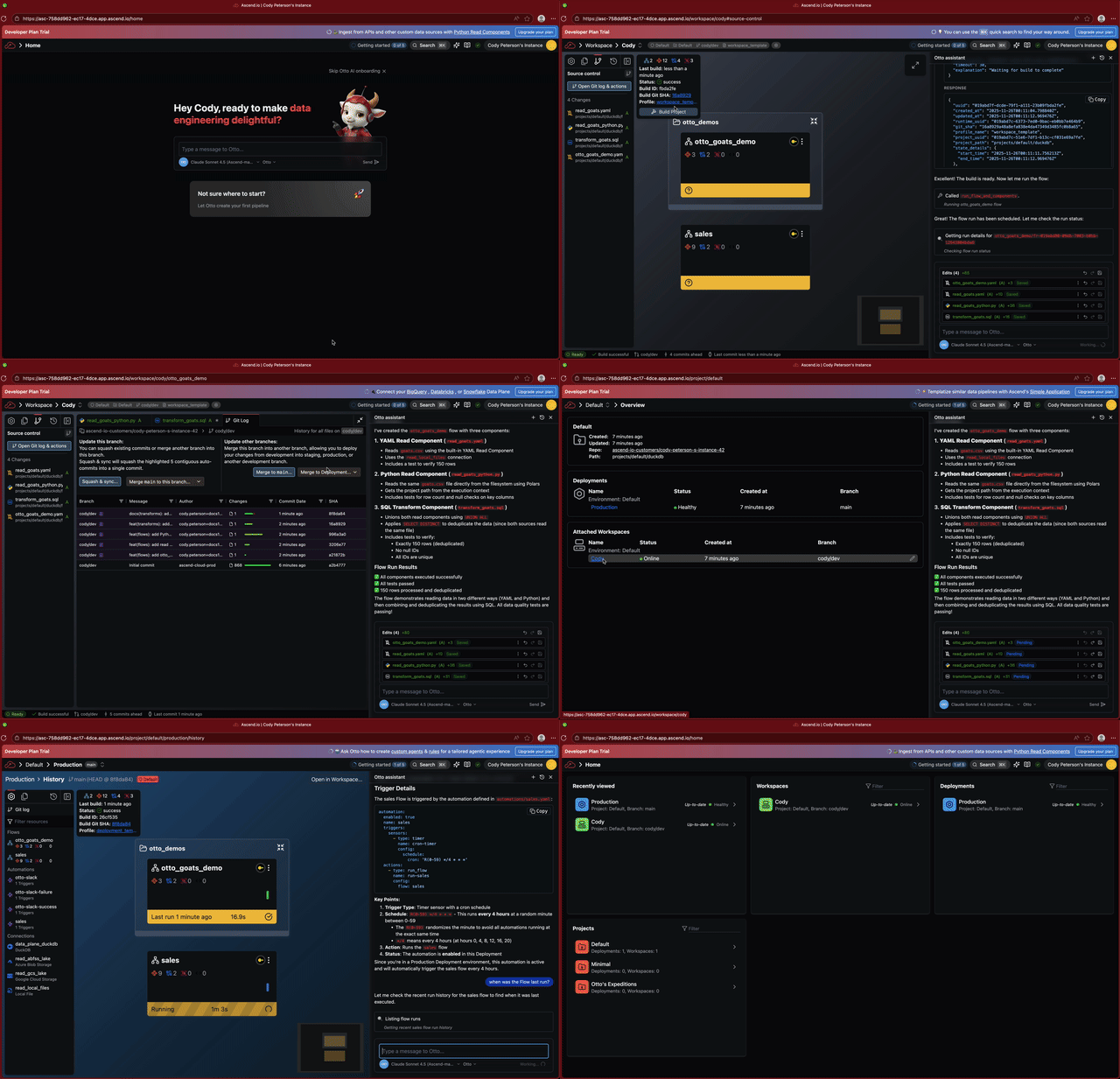
If you navigated away from the onboarding screen, you can still trigger Otto from your Workspace. Click the From your Workspace tab above.
If you don't see the Otto onboarding screen, navigate to your Workspace (this should be labeled with the name you used to register for Ascend) and work with Otto from there.
From the Ascend home page, click on your Workspace. Or from anywhere in the application, use the search bar at the top of the screen to find and navigate to your Workspace.

You'll see your Super Graph. This is a graph of all your Flows.
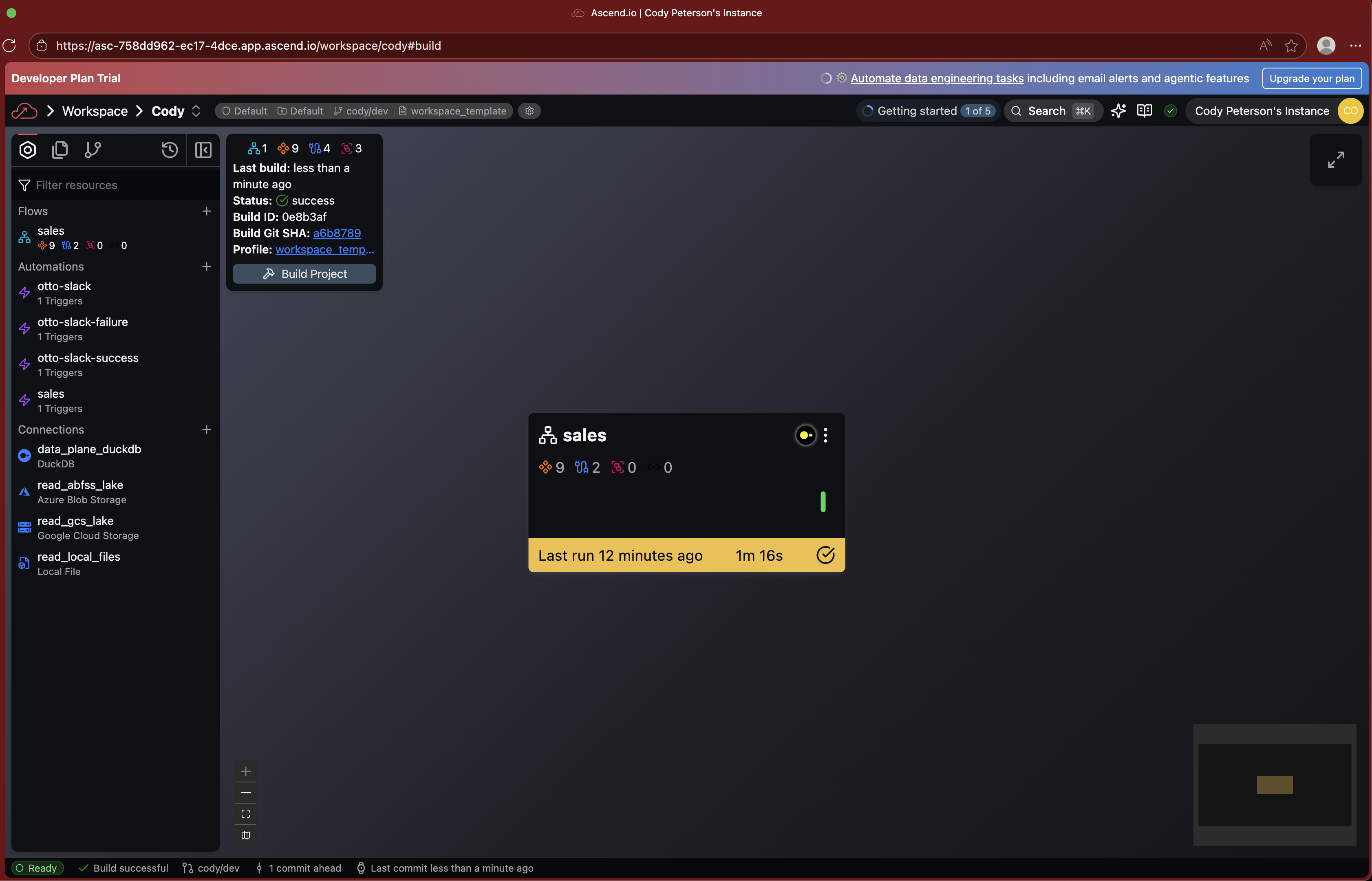
Open the Otto assistant chat by clicking the AI chat icon (the sparkles) toward the top right of your screen or using the Ctrl + I keyboard shortcut.

You can trigger the demo with otto-demos-1 in the chat input.

Or use a more natural prompt like "Create my first data pipeline for me!" and Otto will figure out which rule to use.
Part 3: Sign up for MotherDuck
Now that you've seen Ascend in action with the default DuckDB Data Plane, let's scale up with MotherDuck!
If you don't already have a MotherDuck account, sign up for a free tier account or sign in if you already have one.

Check your email inbox and for a message from MotherDuck.

Confirm your account and sign in. You should see a screen like this:

MotherDuck has a free plan you can use indefinitely for smaller workloads.
Part 4: Create a MotherDuck API key
In the MotherDuck UI, navigate to Settings from the top left dropdown.
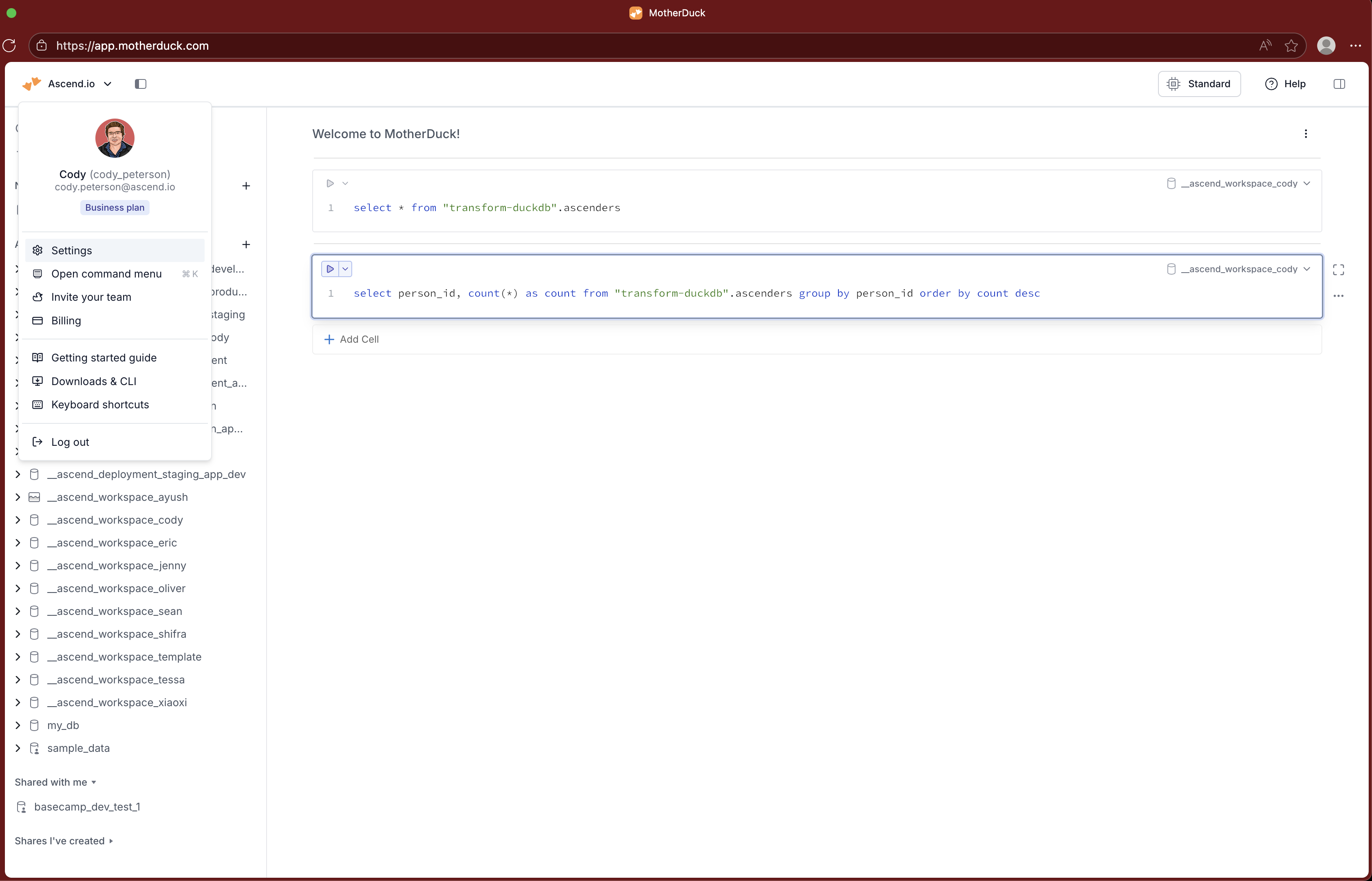
Navigate to Access Tokens.

Click Create Token and copy the token value.

Part 5: Store your API key in Ascend
In the Ascend UI, navigate to Settings > Secrets & Vaults > Environment Vaults > the Default Environment's Vault.
The Instance Vault is separate from the Environment Vault. You need to use the Environment Vault so that your Workspace and Deployment (both in the context of a specific Environment) can access the secret. The Instance Vault is primarily used for AI service provide secrets, e.g. OpenAI or Anthropic API keys.
By default, your Ascend Instance has one Environment called Default.
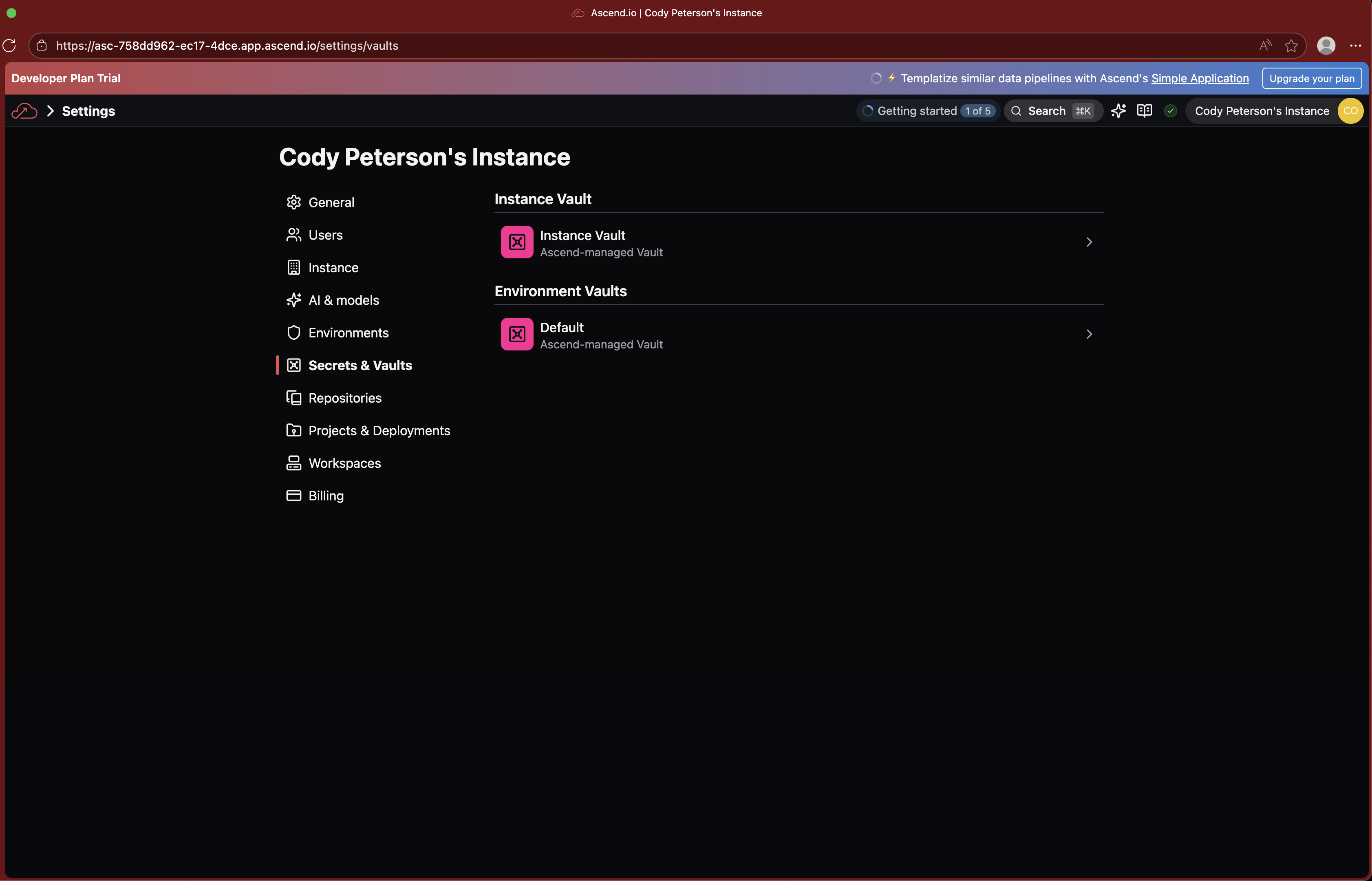
Click to Add Secret and name it MOTHERDUCK_API_KEY, pasting in the API key you created in MotherDuck.

Save and proceed!
Part 6: Switch your Data Plane to MotherDuck
Navigate back to your Workspace. Click the data_plane_duckdb Connection from the list of resources in the toolbar on the right. Alternatively, open connections/data_plane_duckdb.yaml from your Project's files.
If you don't see the Connections section in the Resources tab of the Toolbar, you are likely in a Flow Graph. Use the search bar and type "Super Graph" or click back to all resources from the Toolbar (Resources tab).
Replace the contents of the file with the following:
connection:
  duckdb:
    motherduck:
      api_key: ${vaults.environment.MOTHERDUCK_API_KEY}
Then click Test to verify the connection works.

Part 7: Run your pipeline on MotherDuck
With MotherDuck configured as your default Data Plane, it's time to run your pipeline! Confirm you see the MotherDuck logo in the Flows in the Super Graph.

You can now run your data pipelines on MotherDuck with all its benefits, including:
- Scalability: scale your data workloads massively
- Performance: highly optimized for performance
- Multi-player capabilities: collaborate and share data seamlessly
Manually click the menu button toward the top right of a Flow's card or ask Otto!
You can view your data in the Explore tab of the data_plane_duckdb Connection in the Ascend UI. You can also head into the MotherDuck UI to see your data there!
If you do not override the database field of the motherduck section of the Connection, Ascend will be default use a database named:
__ascend_{profile_name}
This means your Workspace's data will by default by in the __ascend_workspace_template database and your Deployment's data will be in the __ascend_deployment_template database, keeping development & production data separate. You can use Ascend Profiles and Environments to further isolate infrastructure across teams and use cases.
Part 8: Deploy to production!
Once your pipeline runs successfully, you can deploy your changes to production! Open the Git tab from the Toolbar.
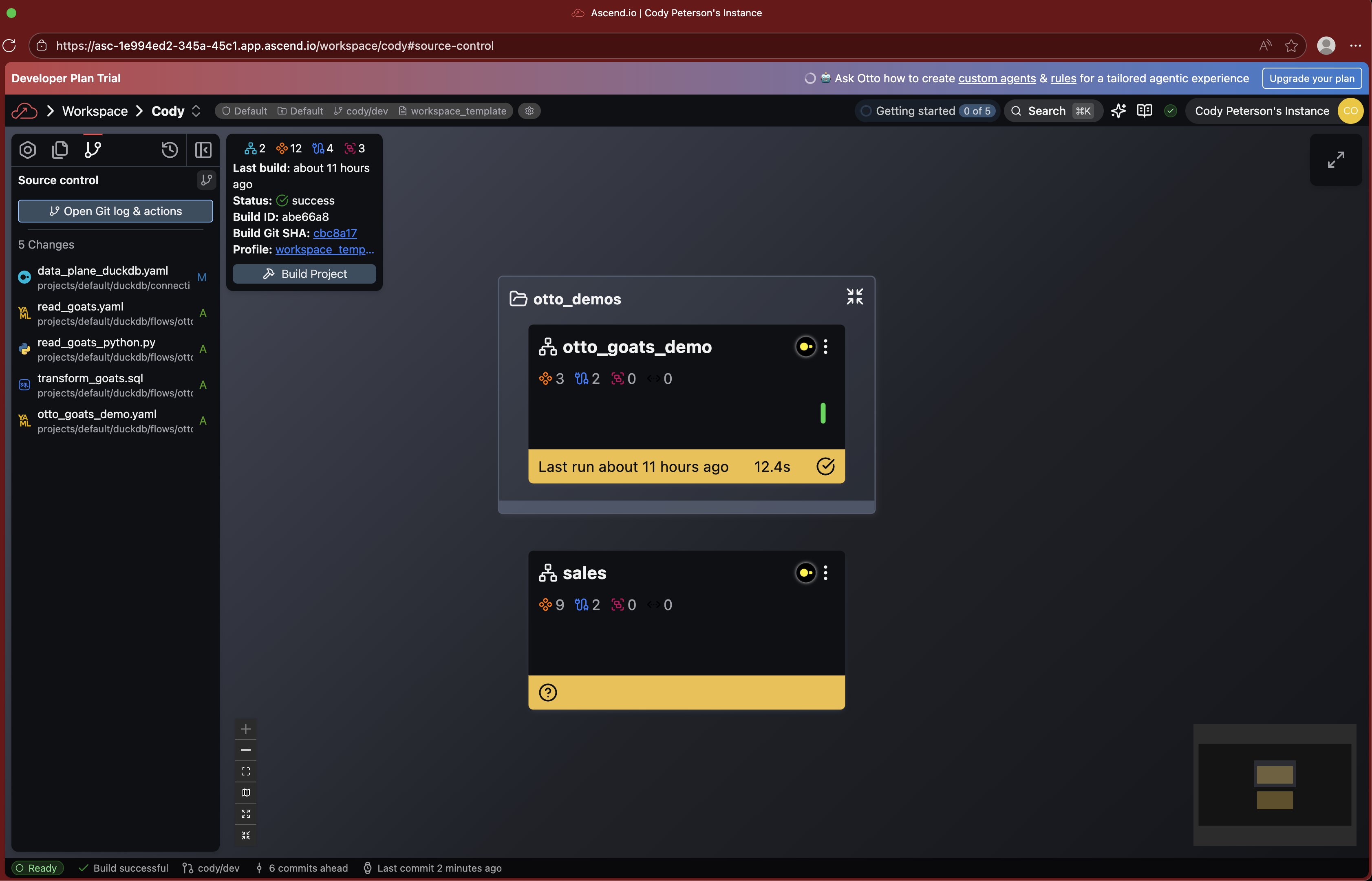
Click to Open Git log & actions.
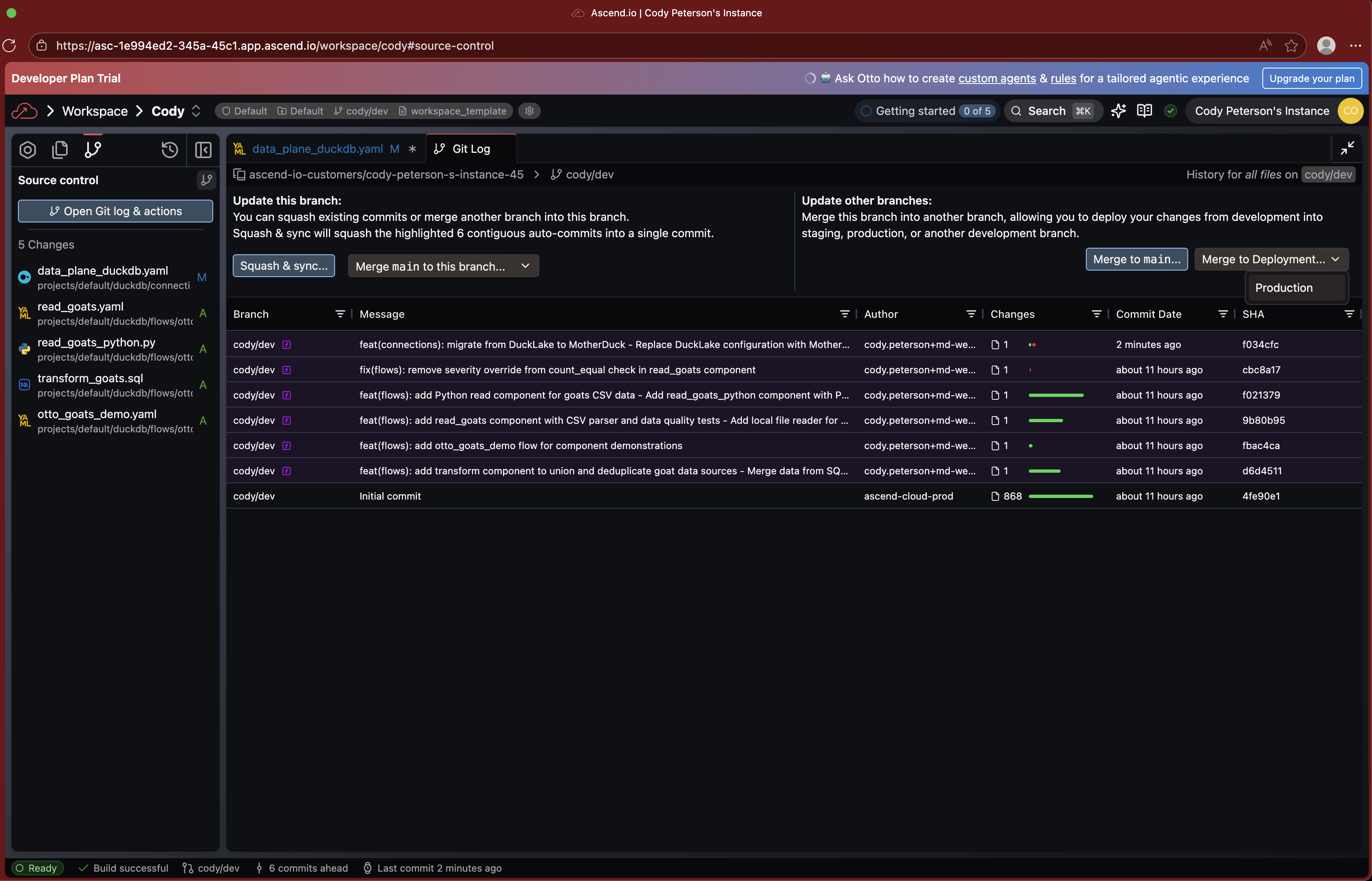
Then click to Merge to Deployment.
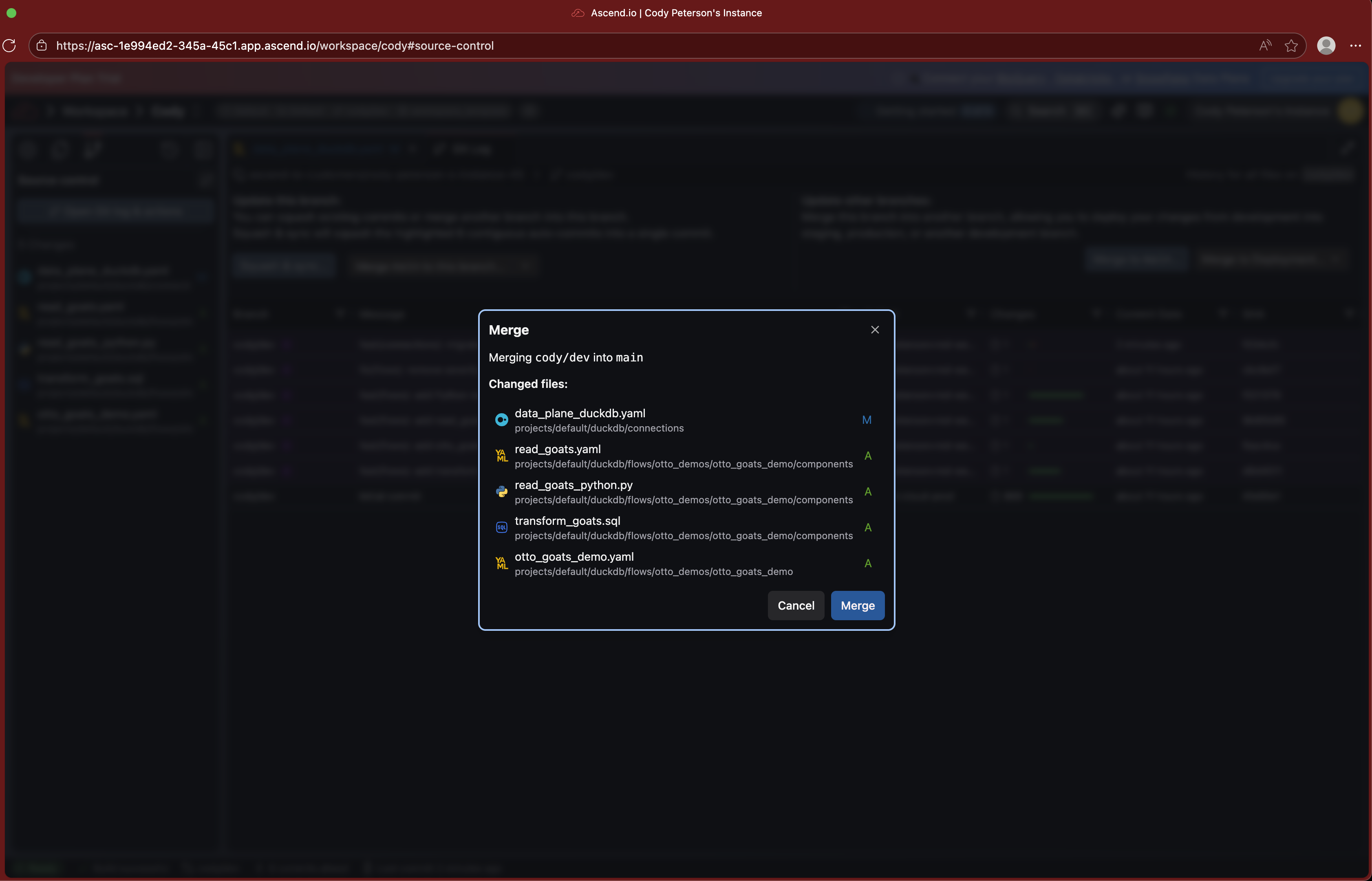
Navigate to your Deployment (from search or the home page) and run your pipeline in production!
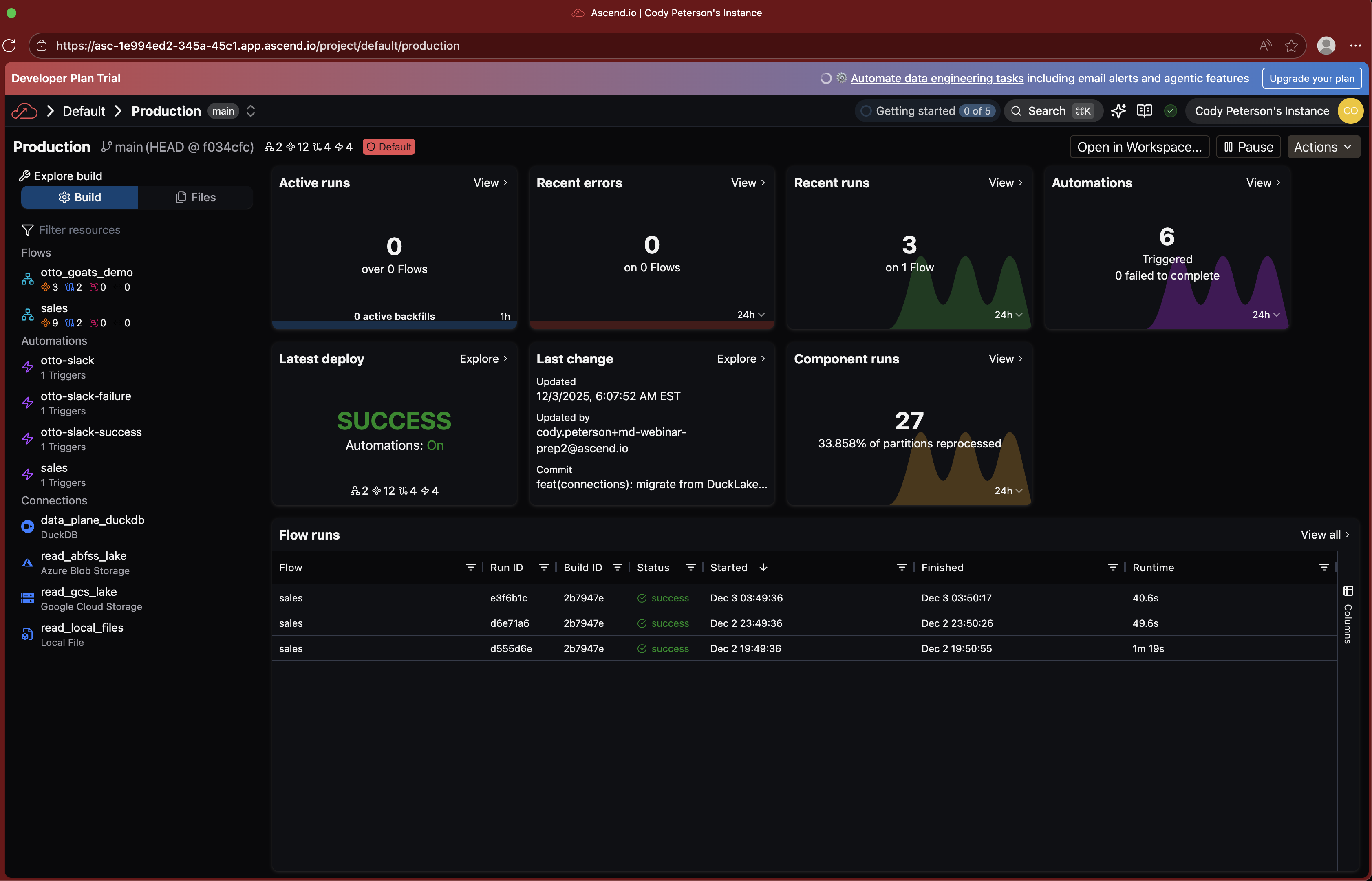

The end
Congratulations! You've successfully performed Agentic Data Engineering in the Ascend platform, scaling up with MotherDuck as your Data Plane. From here, you can start working with your own data and building more complex pipelines!
You can reach us at:
- Cody: cody.peterson@ascend.io
- Jacob: matson@motherduck.com
- Jenny: jenny@ascend.io
General Ascend email aliases:
- Sales: sales@ascend.io
- Support: support@ascend.io