Module
An Ascend Module allows you to programmatically specify a group of related Components. Modules simplify the management of complex, repeatable patterns in Flows using Custom or Ascend-native Modules.
Leverage pre-built Ascend-native Modules for common data tasks or develop Custom Modules to implement your specific business logic programmatically.
Structure of Modules
Modules follow a "define once, use many" pattern. As shown in the diagram above, Modules create a layer of abstraction between your code and the Components they generate.
They are defined in Python, configured in YAML, and can be instantiated multiple times in your Flows. Ascend-native Modules use code provided by Ascend, while Custom Module definitions are written by users in their Projects.
When a Module is configured, it dynamically generates a set of interconnected Module Components based on the provided parameters. These Components appear in your Flow Graph as a cohesive unit that can be viewed either collapsed (as a single entity) or expanded (showing all internal Components and their Connections).
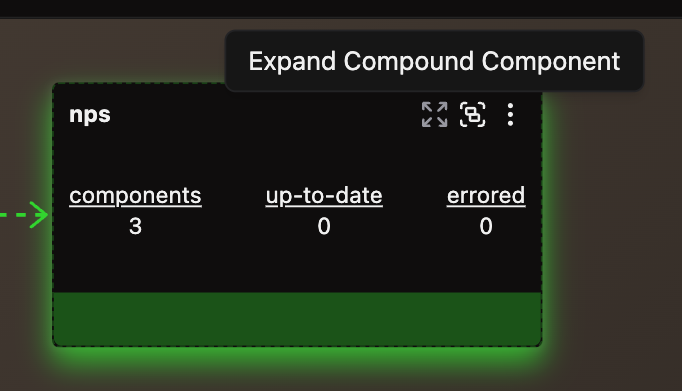 Collapsed Module in the Flow Graph shows as a single Component.
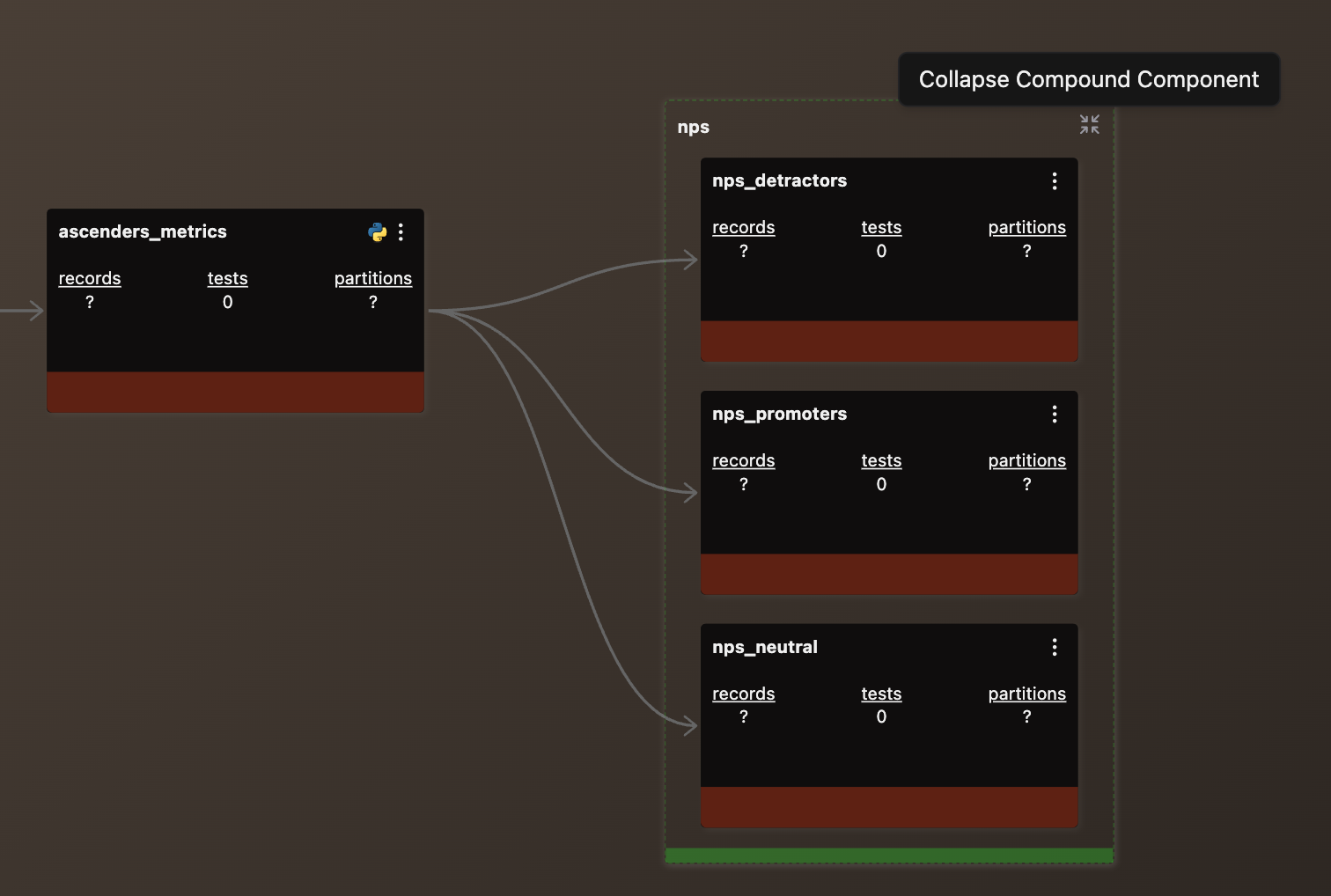 Expanded Module in the Flow Graph shows multiple interconnected Module Components.
Key benefits
Modules deliver powerful advantages:
- Reusability: Define code once and reuse it across Flows, reducing duplication and simplifying maintenance
- Modularity: Package complex logic in self-contained units that can be easily understood and modified
- Standardization: Enforce consistent implementation patterns across data pipelines and teams
- Scalability: Easily scale by reconfiguring Modules as requirements change without significant rework
- Simplified management: Central management through configuration files reduces direct code manipulation
- Encapsulation: Hide implementation details behind a well-defined interface
Module development lifecycle
Modules follow this lifecycle:
- Identify patterns - Recognize repetitive tasks across your data pipelines that could benefit from consolidation
- Create parameterized logic - Design a reusable pattern with configurable parameters for template files
- Define Module logic - Implement the pattern as either:
- An Ascend-native Module (for common patterns)
- A Custom Module (for specialized requirements)
- Configure the Module - Create a YAML configuration that references your Module definition and specifies templates and parameters
- Generate Components - When the configuration is processed, the Module automatically generates a set of interconnected Module Components
- Maintain through configuration - Any changes to the generated Components must be made through the Module configuration and templates, as they cannot be edited directly
Use cases
- Reusable data processing patterns: Encapsulate repeatable tasks like data validation, transformations, or aggregations
- Groups of derived Components within larger pipelines: Break down complex Flows into manageable units for better readability
- Business logic encapsulation: Ensure consistent enforcement of business rules across workflows
- Uniform implementations: Create standardized implementations of common patterns that can be reused and customized
Modules provide a powerful mechanism for creating reusable, consistent, and maintainable logic. By separating the definition (the underlying code) from the instantiation (the configuration and Component creation), they enable you to build scalable solutions that can evolve with your business needs while maintaining a clean architecture.
Ready to create your first Module? Check out our how-to guides!